
This guide helps your team get more value from TurboHelp's AI and Automation tools. Use it to understand the feature, configure it correctly, and know what to check before relying on it in your daily support workflow.
At a Glance
Use automation to remove repetitive work while keeping humans available for complex issues.
Start with focused rules or flows, test them with real examples, and expand gradually.
Review AI handoffs, tool results, and knowledge quality so automation stays helpful.
Empower your support team and delight your customers with TurboHelp AI Agents, powerful tools designed to automate and enhance your customer service experience. You can create and manage multiple agents, each tailored to specific departments, brands, or customer needs. Getting started is effortless—each agent is a zero-configuration solution that becomes fully operational the moment you provide it with a knowledge source. Simply add your website or help center articles, and the specific agent can immediately begin providing instant, accurate support to your customers, 24/7.
While they work right out of the box, every AI Agent is a fully customizable support solution. You can switch between different agents or create new ones directly from the dashboard to build your perfect AI-powered assistants.
Tip: See LiveChat Widget Guide to learn how to specify which AI agent should be used and how to scope AI agent knowledge by specific tag.
Fine-Tuning Agent Personalities
First impressions matter, and with the AI Agent settings, you can ensure each agent aligns perfectly with the specific identity it represents. Use the agent selector to choose which assistant you wish to configure.
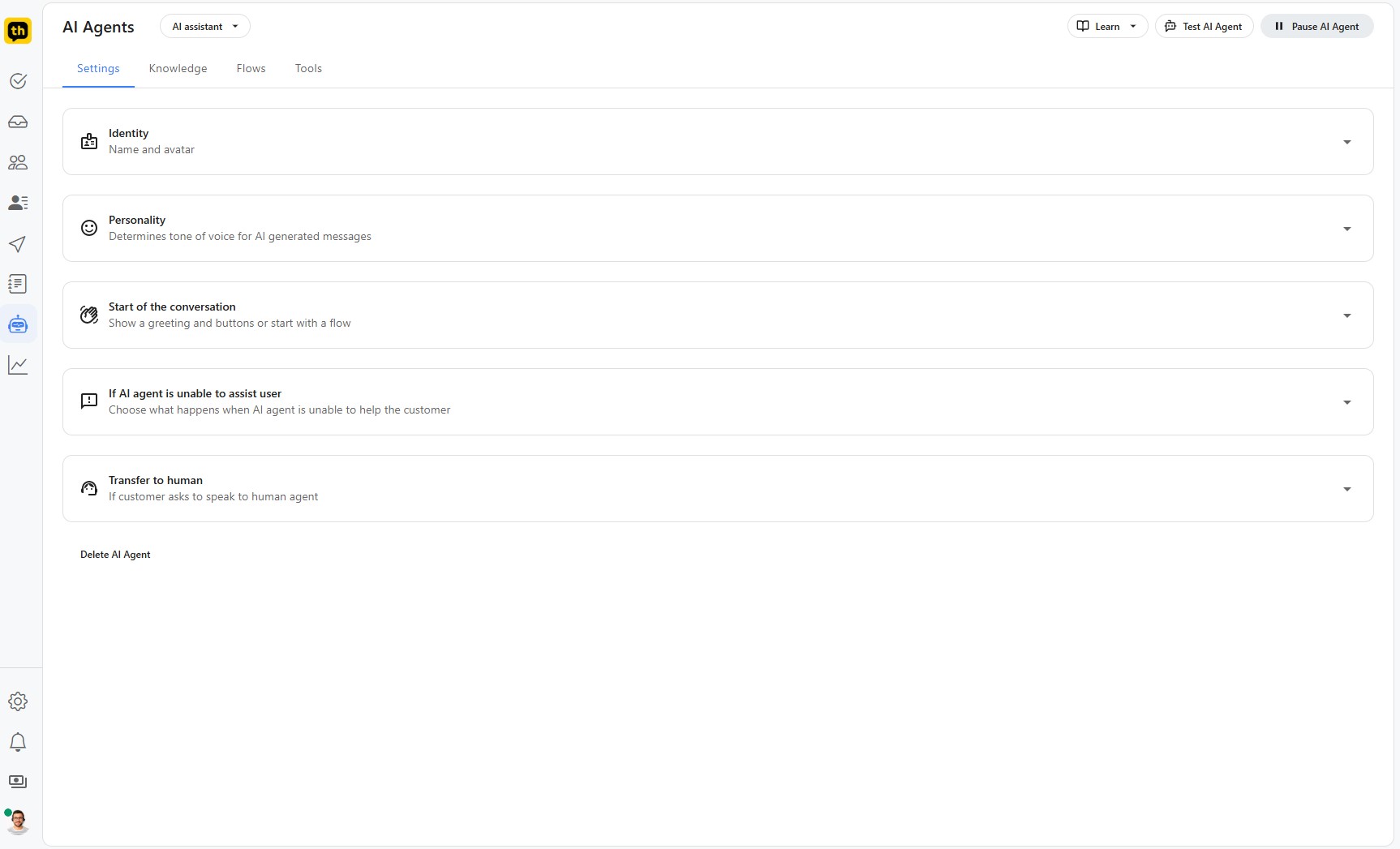
Identity: Give each agent a unique name and avatar for a more personal touch appropriate for its role.
Personality: Define the tone of voice for the specific agent's messages. Choose from Friendly, Neutral, Professional, or Humorous to create an experience that resonates with that agent's specific audience.
Start of the conversation: Configure how the agent initiates interactions, whether with a simple greeting or by presenting interactive buttons to guide the user.
Escalation Paths: Decide what happens when a specific agent encounters a query it cannot resolve, ensuring a smooth handover to the correct human team.
Learn more about personalizing your assistants in our detailed guide to AI Agent Settings.
Building Independent Knowledge Bases
The power of an AI Agent lies in its knowledge. The "Knowledge" section allows you to equip each agent with the specific information it needs to answer questions accurately. Each agent maintains its own isolated knowledge base, allowing you to create specialized assistants (e.g., one for Technical Support and another for Sales) without overlapping information.
Tip: Help center articles can be shared between multiple agents.
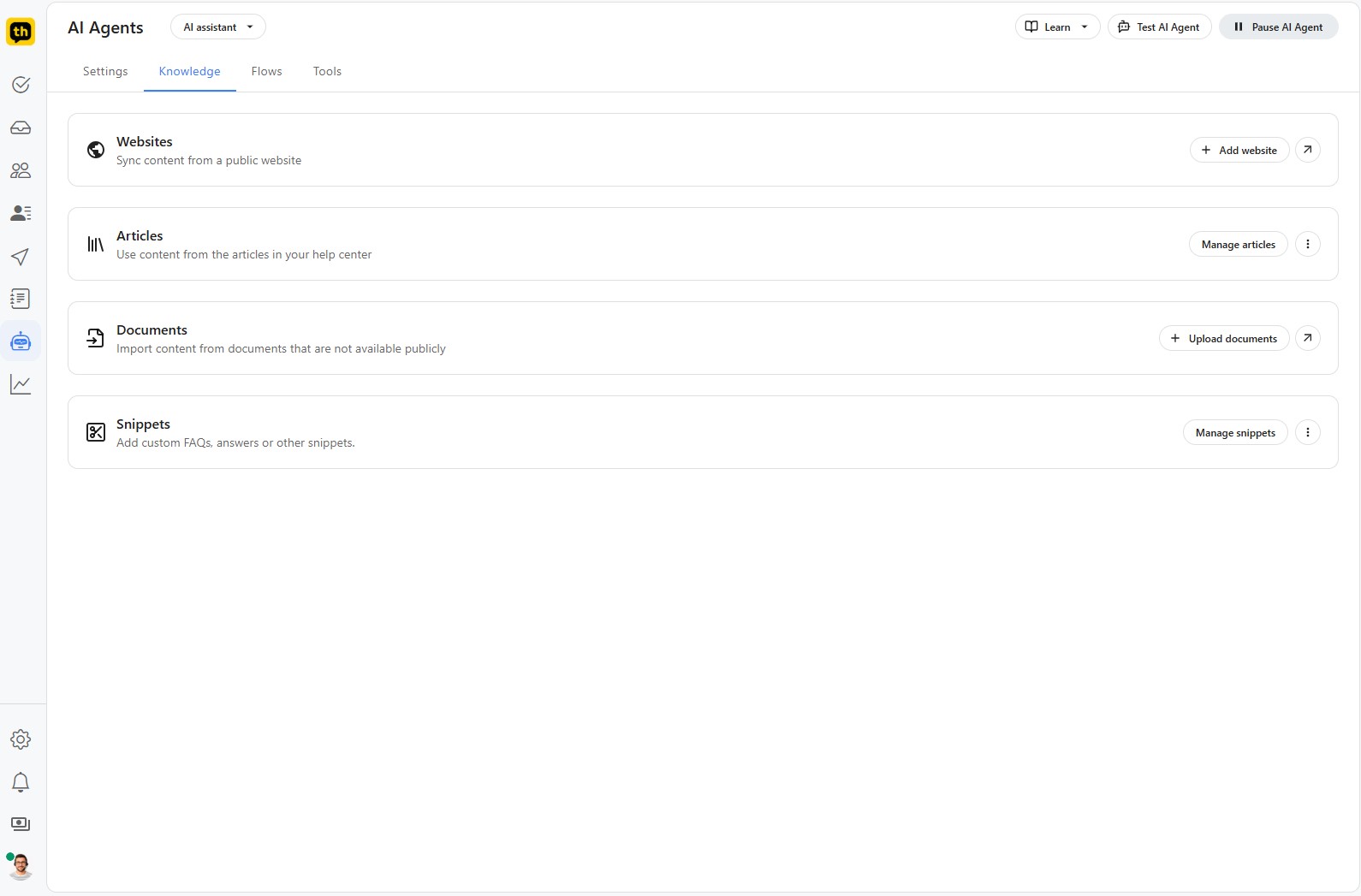
Websites: Automatically sync content from public websites relevant to that agent's purpose.
Articles: Leverage existing articles in the TurboHelp help center.
Documents: Upload private documents containing information you want a specific agent to access.
Snippets: Create custom question-and-answer pairs for FAQs specific to that agent.
For a step-by-step walkthrough, please see our article on Managing the AI Agent's Knowledge Base.
Designing Conversation Flows
With the Flows visual builder, you can manually map out interaction paths unique to each AI agent.
Intent-Based Triggers: Specify a "user intent" for each flow. The specific agent will analyze the customer's message and trigger the corresponding flow if it matches the defined intent.
Visual Flow Builder: Use a simple drag-and-drop interface to design flows for each agent.
Variety of Actions: Add actions such as sending messages, asking for details, or setting attributes.
Guided Conversations: Create guided experiences specific to the agent's function, such as product troubleshooting or lead generation.
Learn more about using flows in our guide to Building AI Agent Flows.
Extending Capabilities with Tools
Unlock limitless potential by connecting your AI Agents to external services using "Tools." This allows each agent to perform actions and retrieve data from other systems relevant to its tasks.
API Integration: Connect to external APIs to enable specific agents to perform tasks like checking order statuses or booking appointments.
Custom Tool Creation: Define a clear name and description for each tool, allowing the agent to understand when to use it.
Flexible Triggering: Tools can be activated explicitly within a Flow or autonomously by the agent.
Discover how to connect your agents to external services in our in-depth article on Using Tools with the AI Agent.
TurboHelp AI Agents offer a comprehensive solution that transforms your customer support. By creating multiple agents—each with a customizable personality, robust knowledge base, structured conversation flows, and powerful tool integrations—you can provide a superior, specialized customer experience.
Best Practices
Give the AI agent narrow, high-quality knowledge before broadening its scope.
Always define a clean escalation path to a human agent.
Use test conversations to confirm the automation does what customers expect, not just what the rule says.