
This guide helps your team get more value from TurboHelp's Customers tools. Use it to understand the feature, configure it correctly, and know what to check before relying on it in your daily support workflow.
At a Glance
Use customer tools to understand who you are helping and what history they already have with your team.
Keep customer records clean so agents can respond with context instead of asking repeat questions.
Use proactive conversations and account actions carefully, especially for sensitive customer data.
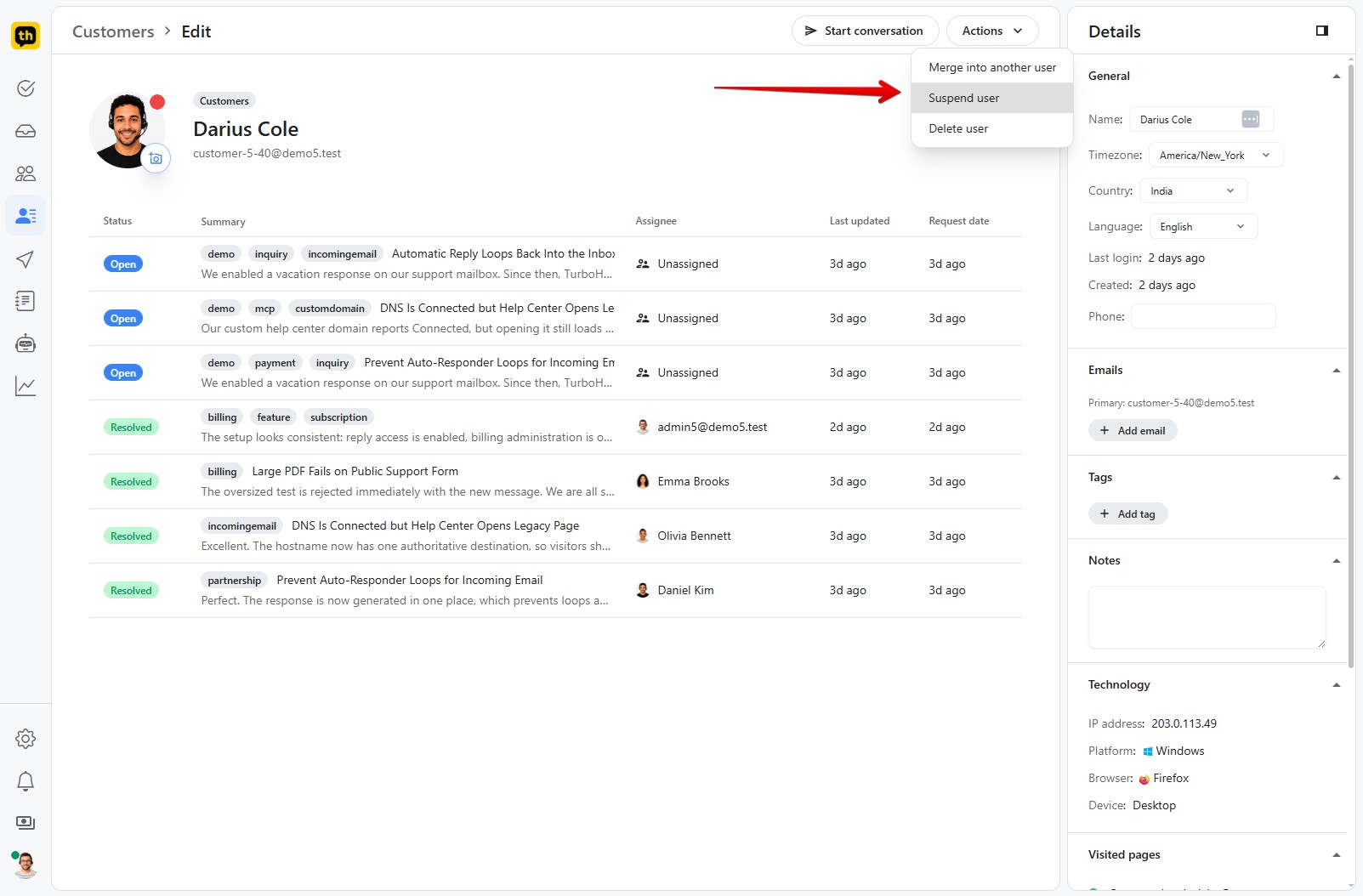
There may be times when you need to suspend a customer's account. This could be due to a violation of your terms of service, spamming, or other issues. Suspending a customer in TurboHelp is a straightforward process that can be done directly from the customer's profile.
What Happens When a Customer is Suspended? 🤔
When you suspend a customer, they will no longer be able to:
Access the help center or ticket portal: Any attempt to log in or view this content will be denied.
Submit new tickets: Their emails to your support address will be ignored, and new tickets will not be created.
Use live chat: The live chat widget will not appear on your website for them.
Essentially, a suspended customer will be completely blocked from accessing your support channels through TurboHelp.
How to Suspend a Customer
Follow these simple steps to suspend a user:
Navigate to the Customer's Profile: Go to the "Customers" section from agent dashboard or admin area and click on the customer you wish to suspend.
Open the Menu: In the top right corner of the customer's profile, click the button with the three dots (⋮) to reveal a dropdown menu.
Select "Suspend user": From the dropdown menu, choose the Suspend user option.
Confirm Suspension: A confirmation dialog will appear. Click "Suspend" to confirm the action.
The customer's account will now be suspended. You can see a list of all suspended customers in the "Suspended Users" section of Customers Page. You can also unsuspend a customer from their profile page, if you wish to restore their access.
Best Practices
Keep internal notes factual and useful for future agents.
Use tags and custom attributes consistently so customer lists remain searchable.
Be careful with suspension, impersonation, and deletion because these actions affect access and data.